
The second week of me attempting Petrapixel's Advent Calendar of Digital Challenges! As mentioned in my post for Week 1, I'm going to do these challenges weekly instead of daily. While I might get the time to attempt them on some week days, I'll still be keeping my posts about them to once a week.
Quick Nav
🎁 Day 8 - Small Circle
Challenge
If you're currently following more than 50 people on a social media (e.g. instagram, twitter, ...), reduce it to 50. If you're following less than 50 already, reduce it to 25. Focus on what/who you really care about, and get rid of the rest. You'll love it, I swear. Bonus challenge for tryhards & go-getters: Reset your instagram explore page/suggestions so that they are not interesting to you anymore. (This can be done in the settings.)I picked my private Twitter account for this, since I follow the most amount of random people on this account, whereas on my Instagram and public Twitter, I'm mostly following mutuals or friends.
The downside of this is that I am following 398 people on this Twitter account, so there is no way I can possibly get it down to 50. Still, I thought I'd give it a shot and clean out the accounts that I'm no longer interested in.
Aaaand...
We're down to 374 accounts.
Look I really tried my best 😂 But my Twitter following list has pretty much become a time capsule of my interests, so I couldn't bring myself to unfollow a lot of old accounts that I have fond memories of, even if they are inactive or I'm not actively involved in the fandom anymore.
🎁 Day 9 - E-Books
Challenge
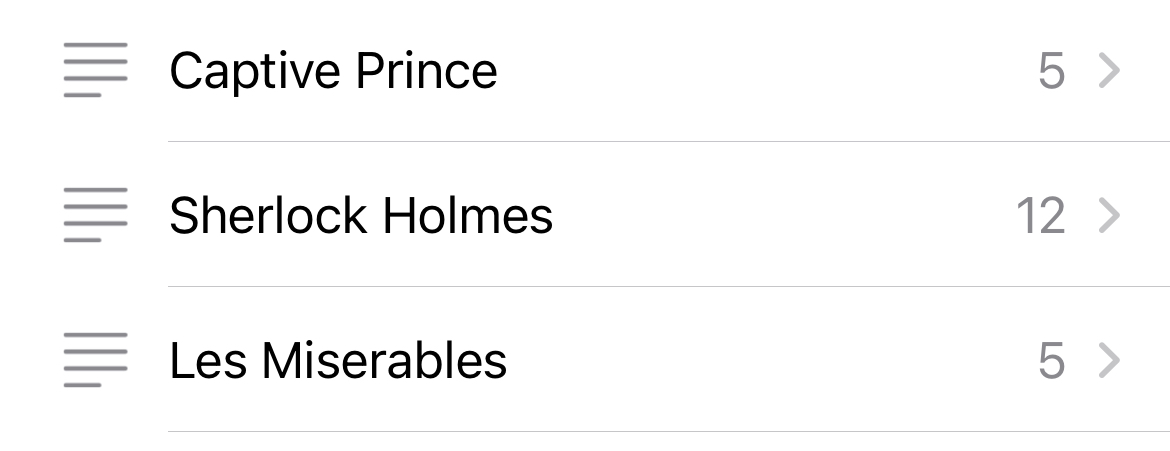
If you have e-books, it's now time to sort them - on your PC or e-reader or whatever. I highly recommend the free software Calibri for e-book management. Bonus challenge for tryhards & go-getters: Download new e-books free & legally from Project Gutenberg. It's a treasure trove.The closest thing I have to an e-reader is the Books app on my iPhone. In which I have a grand total of 23 books. I guess I can still try to sort them:
🎁 Day 10 - Passwords
Passwords
Enter your email address into Have I Been Pwned to see if your email was ever in a data breach. Bonus challenge for tryhards & go-getters: Change your passwords. Yes, all of them. Or at least a few.Ngl if I hadn't heard of this site before, I'd be a little more cautious about entering my email into a random website.
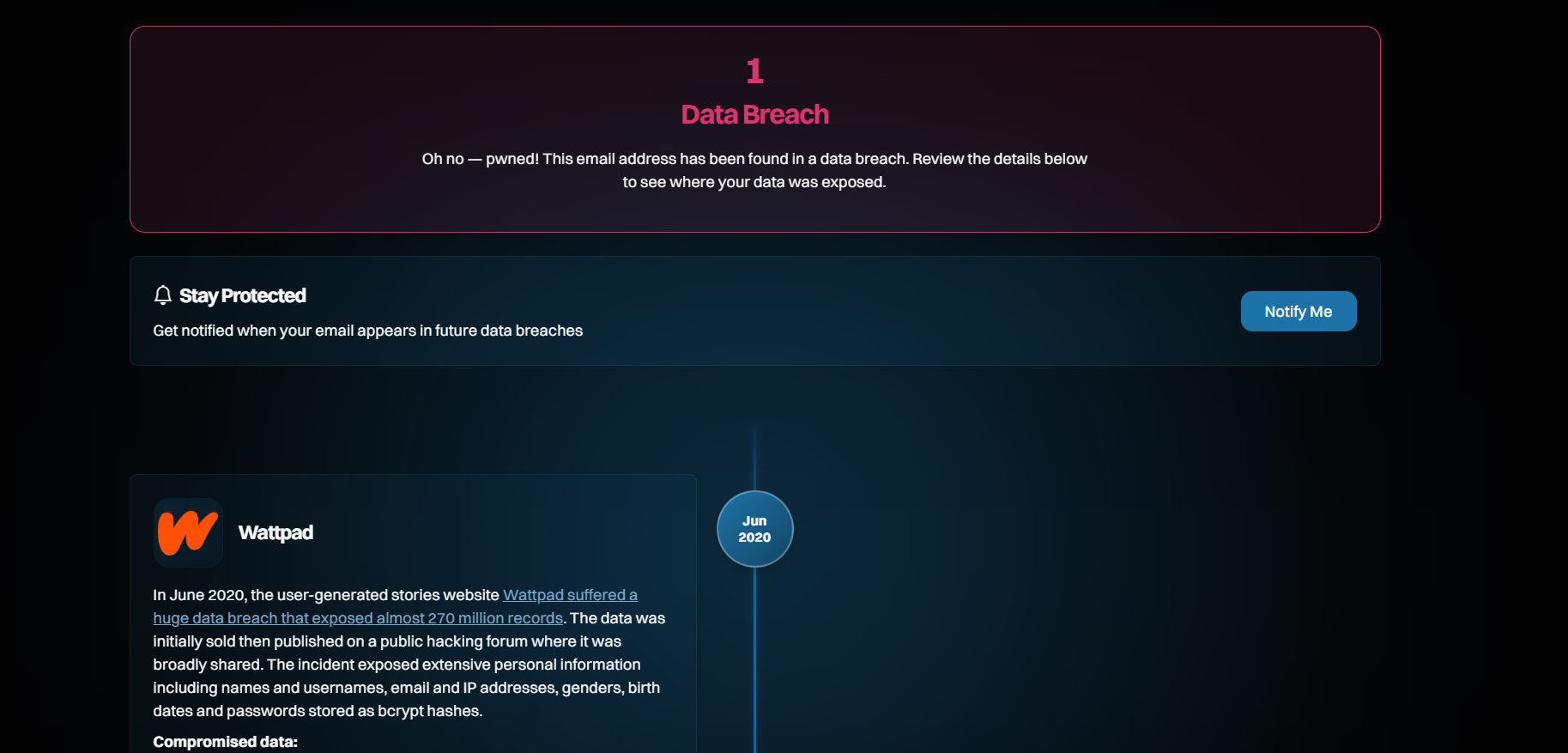
Well, thanks Wattpad. I don't even remember signing up for an account with this email.
🎁 Day 11 - Privacy
Privacy
Make your social media accounts private. That means instagram, twitter, etc. Bonus challenge for tryhards & go-getters: Block people you are jealous of, don't like or for some other reason don't want to see posts of.Unfortunately I do need to use Instagram for posting my art, so I'll be skipping this challenge. I do have some private accounts for posting photos and the like but all of my public facing accounts are for art exclusively.
🎁 Day 12 - Browser Switch
Browser Switch
If you're currently using Google Chrome, well... Let's not, okay? Switch to another browser, I recommend Firefox. Bonus challenge for tryhards & go-getters: Let's try to get away from Google even more: Replace google.com with another search engine like DuckDuckGo or Ecosia.Downloaded Firefox to give it a try. Now I just have to figure out how to make it CORS-disabled.
🎁 Day 13 - Phone Declutter
Phone Declutter
Sort through your phone gallery and other files on your phones, and make sure you delete everything you don't need. Bonus challenge for tryhards & go-getters: Use your phone's settings or a space-saver app to detect which files/apps use the most space on your phone, and make space accordingly.I deleted some random images from my phone gallery, but I still need to find some time to upload my most recent travel photos to cloud before I can remove them.
🎁 Day 14 - Anti-Adobe
Anti-Adobe
Adobe sucks, I think we can all agree. So - whether or not you're actually paying for it - let's get rid of our Adobe software. Replace Photoshop/InDesign/Illustrator with Affinity, which is very similar but free! Bonus challenge for tryhards & go-getters: If you're currently using Adobe Premiere Pro you can replace it with the free software Davinci Resolve.As a certified Adobe hater, I haven't used their products in years now. Fuck subscriptions. I recommend Photopea instead for quick edits, or Canva to make graphics easily. Both can be used in your browser without any download needed.